
Extra income
Receive payment after a completed booking of your space.
Rent out your parking space
Make your space available when you're not using it yourself. You choose the price and times, and ParkSpacely collects bookings and payment in the app.
⌁ For you as a host
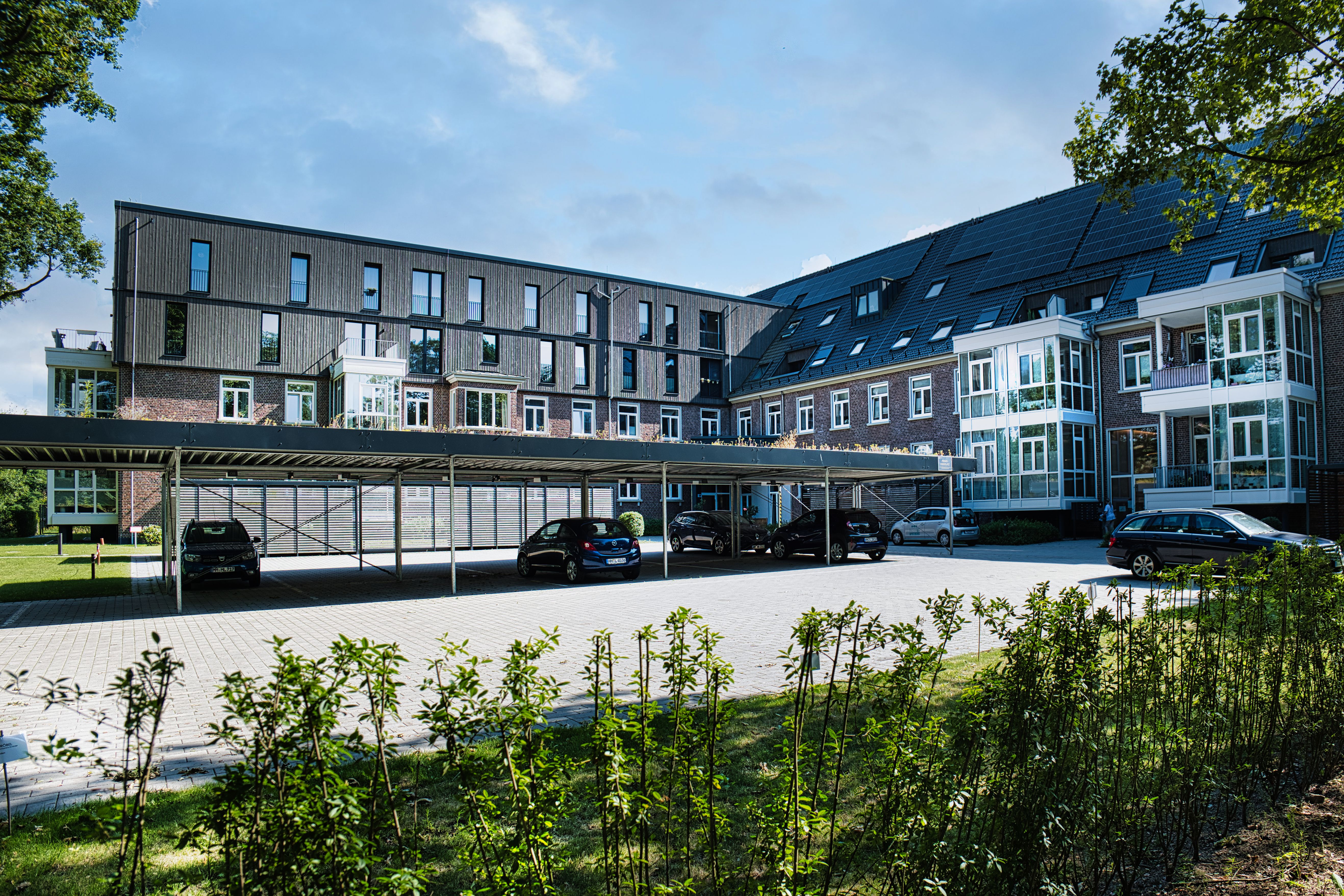
Receive payment after a completed booking of your space.
Choose the price yourself and the times when the space is available.
View and manage your bookings directly in the app.
Payment is handled in the app after completed bookings.
⌁ This is how you get started
Add address, photos and the information drivers need.
You decide the price yourself and when the space can be booked.
Keep track of bookings and payments directly in the app.

List your parking space, choose when it is available and manage bookings in the app.
Download app ↗◌ Questions and answers
Listing your parking space is free. ParkSpacely charges a service fee when a booking is completed.
It depends on the location of the space, the demand and the price you choose. You can adjust the price continuously in the app.
After a completed booking, the amount is sent to the payment method you have chosen in the app, according to ParkSpacely's payment plan.
You can create a driveway, garage, carport or private parking space if you have the right to rent it out and local regulations allow it.
You must add address, pictures, price and available times. Once the information is in place, you can make the space visible to motorists.
Create a host account, add information about your parking space, and choose the price and available times. Once the space is active, drivers can book it.
Yes. You choose when the space can be booked, and you can change the times or make the space unavailable as needed.
Registered users can book the space based on the conditions you have specified. You can view and manage the bookings in the app.
Clear images help drivers assess the space. Show the driveway, the space itself and any access conditions.
Describe the access conditions, any size restrictions, gates, codes and anything else the driver needs to know before arrival.